
Official Dify Plugin: marketplace.dify.ai/plugins/langgenius/firecrawlOfficial plugin by Dify team • 170,000+ installs • Chatflow & Agent apps • Free to use
Dify Integration Overview
Dify is an open-source LLM app development platform. The official Firecrawl plugin enables web crawling and scraping directly in your AI workflows.Chatflow & Workflow Apps
Build visual pipelines with Firecrawl nodes for data extraction
Agent Applications
Give AI agents the power to scrape live web data on demand
Firecrawl Tools in Dify
The plugin ships seven actions.Search
Search
Search the web and optionally scrape the returned results, so you get fresh result metadata or full page content in one step.Use Cases: Research assistants, competitor discovery, grounding answers in live sources.
Scrape
Scrape
Convert any URL into clean, structured data. Transform raw HTML into actionable insights.Use Cases: Extract product data, scrape article content, get structured data with JSON mode.
Crawl
Crawl
Perform recursive crawls of websites and subdomains to gather extensive content.Use Cases: Full site content extraction, documentation scraping, multi-page data collection.
Map
Map
Generate a complete map of all URLs present on a website.Use Cases: Site structure analysis, SEO auditing, URL discovery for batch scraping.
Crawl Job
Crawl Job
Retrieve scraping results based on a Job ID or cancel ongoing tasks.Use Cases: Monitor long-running crawls, manage async scraping workflows, cancel operations when needed.
Create Monitor
Create Monitor
Create a scheduled monitor that re-checks a target on a recurring schedule.Use Cases: Keeping ingested data fresh, changelog watching, competitor tracking.
Monitor Checks
Monitor Checks
Retrieve a monitor’s details and its check results, so you can act only on the pages that changed.Use Cases: Incremental knowledge base updates, change alerts, downstream triggers.
Getting Started
1
Install Firecrawl Plugin
Access the Dify Plugin Marketplace and install the Firecrawl tool
2
Get Firecrawl API Key
Visit Firecrawl API Keys and create a new API key
3
Authorize in Dify
Navigate to Plugins > Firecrawl > To Authorize and input your API key
4
Add to Your Workflow
Drag Firecrawl tools into your Chatflow, Workflow, or Agent application
5
Configure & Test
Set up parameters and test your workflow
Usage Patterns
- Chatflow Apps
- Workflow Apps
- Agent Apps
Visual Pipeline Integration
- Add Firecrawl node to your pipeline
- Select action (Map, Crawl, Scrape)
- Define input variables
- Execute pipeline sequentially
Common Use Cases
AI Chatbot with Live Data
Build RAG-powered chatbots that scrape and reference live website content
Content Analysis Agent
Agents that research topics by scraping and analyzing multiple sources
Competitor Monitoring
Automated workflows that track competitor websites and alert on changes
Data Enrichment Pipeline
Extract and enrich data from websites into structured databases
Firecrawl Actions
Best Practices
Agent Apps
- Let agents decide when to scrape
- Use natural language instructions
- Enable tool calling in LLM settings
- Monitor token usage with large scrapes
Workflow Apps
- Use Map before Crawl for large sites
- Set appropriate crawl limits
- Add error handling nodes
- Test with small datasets first
Dify vs Other Platforms
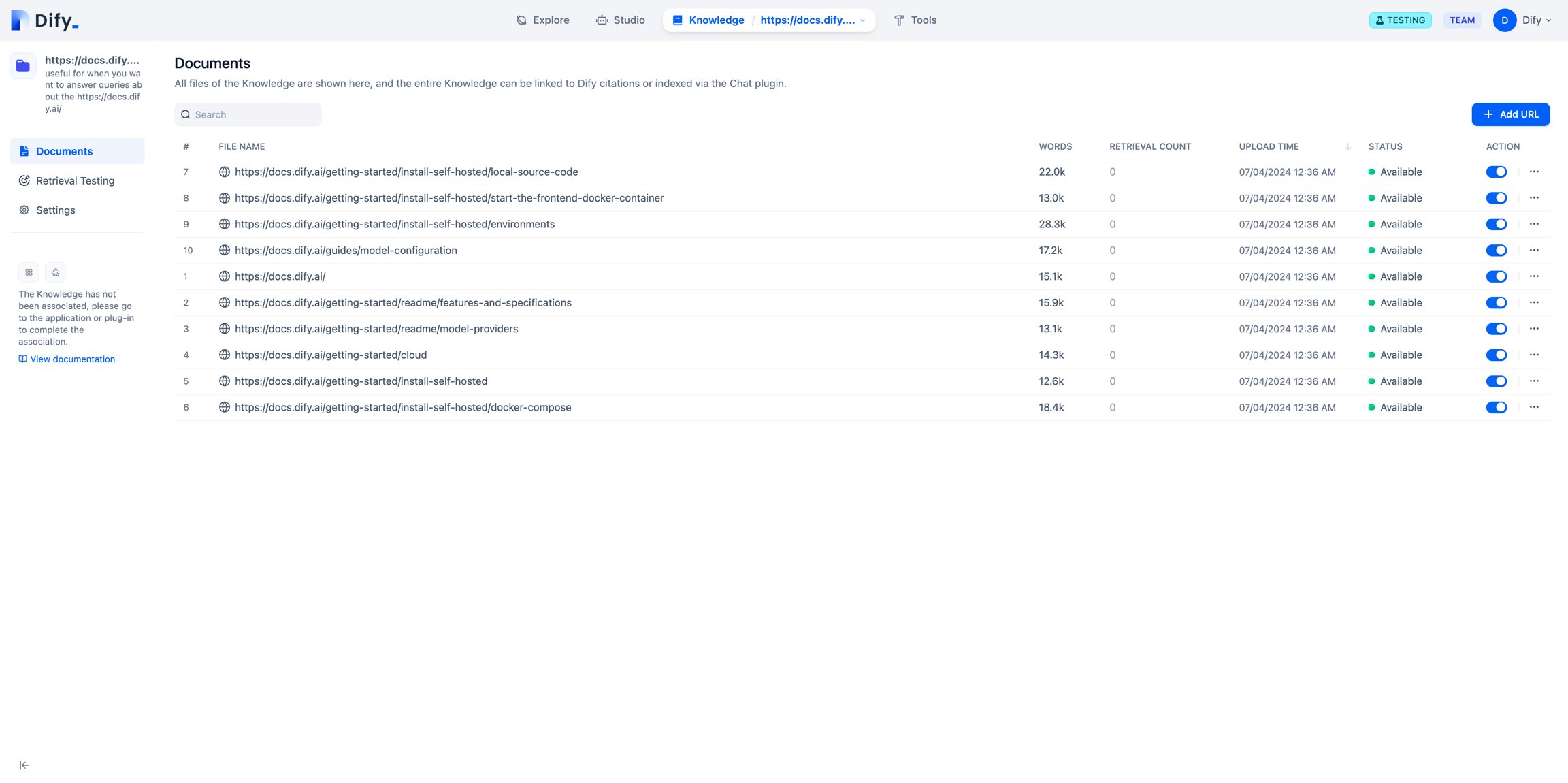
Sync websites into the Dify knowledge base
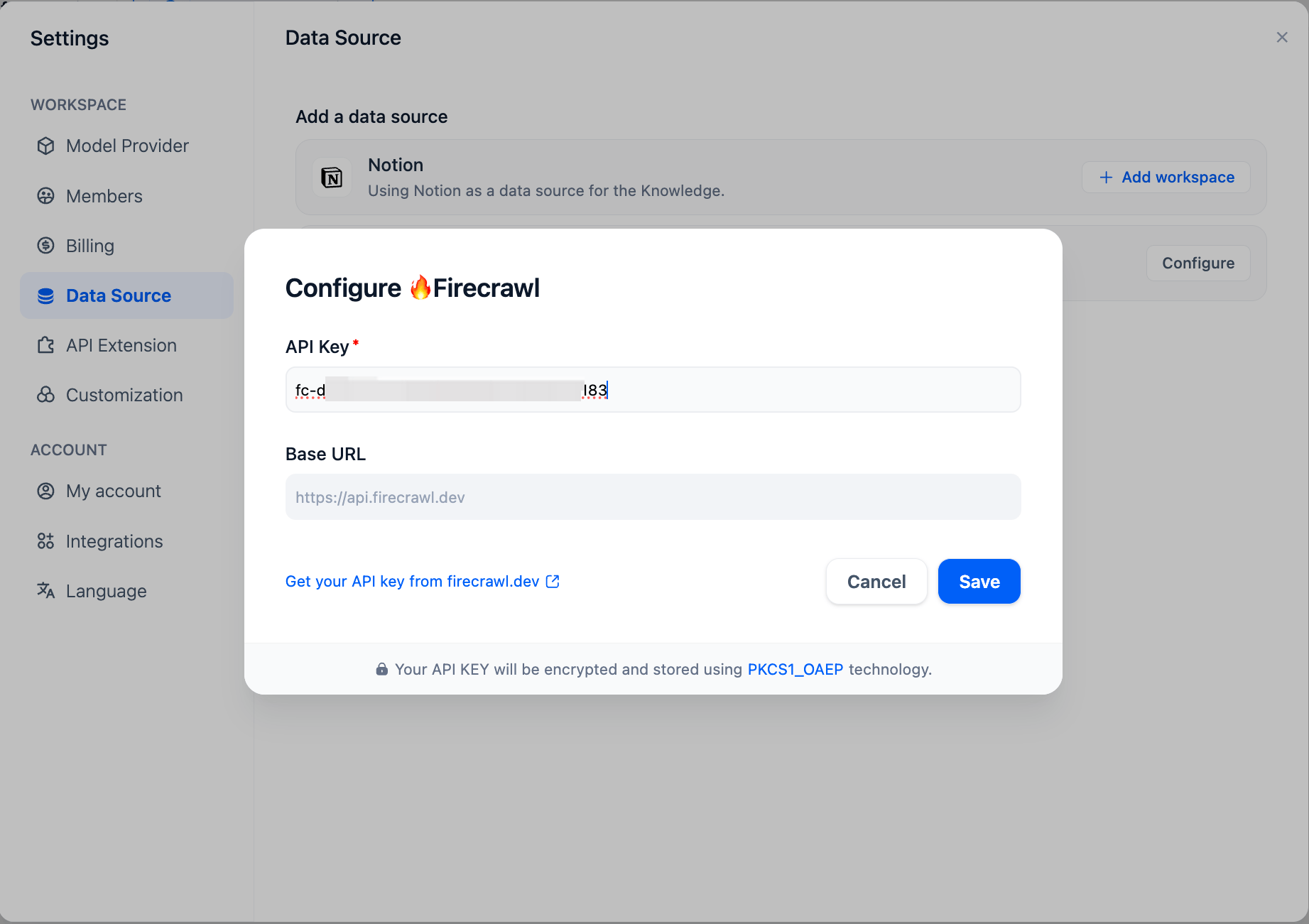
Firecrawl can also scrape a web page into Markdown and import it into the Dify knowledge base from Dify Cloud.Configuring Firecrawl
Configure Firecrawl credentials in the Data Source section of the Settings page.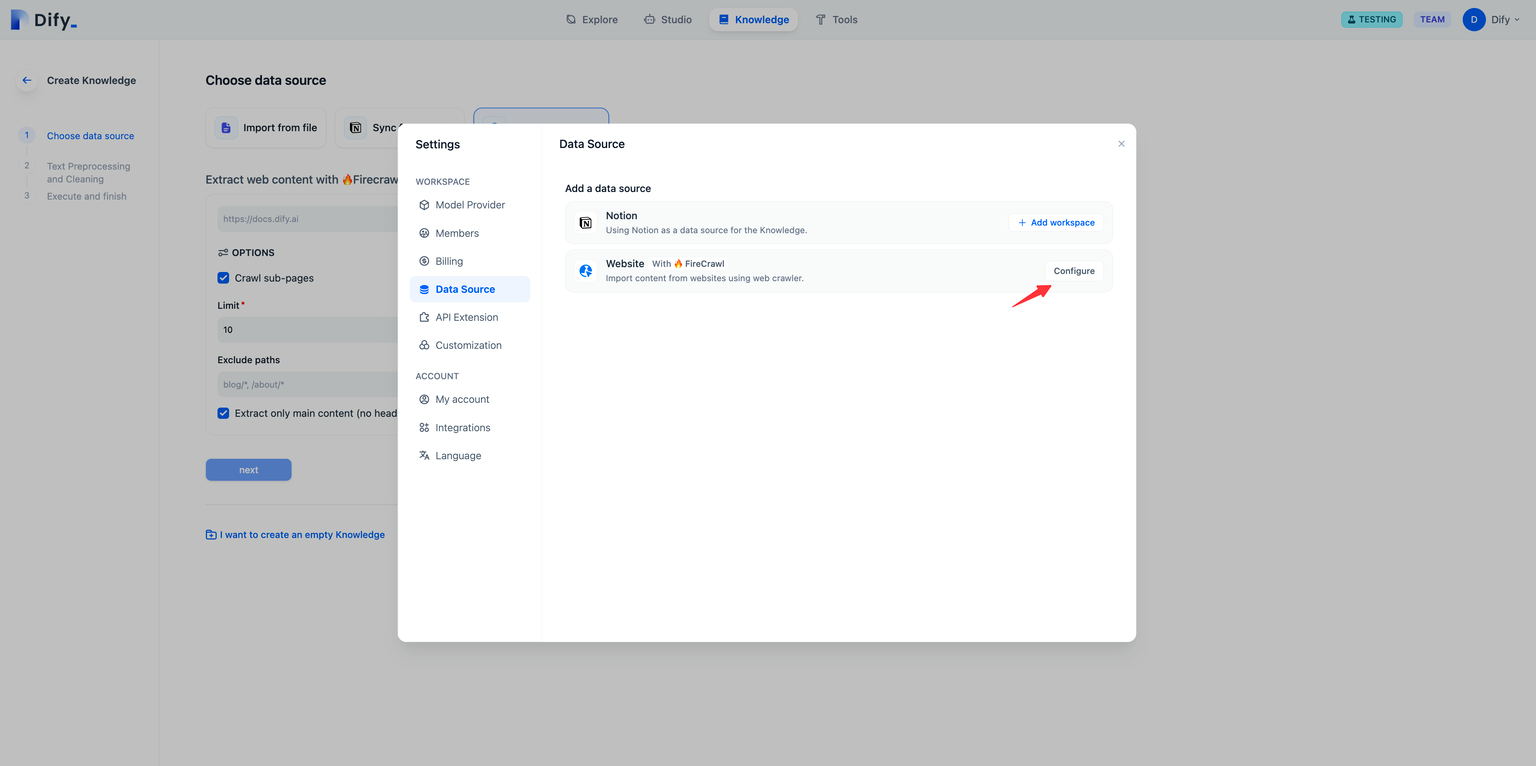
Scrape the target webpage
On the knowledge base creation page, select Sync from website and enter the URL to scrape.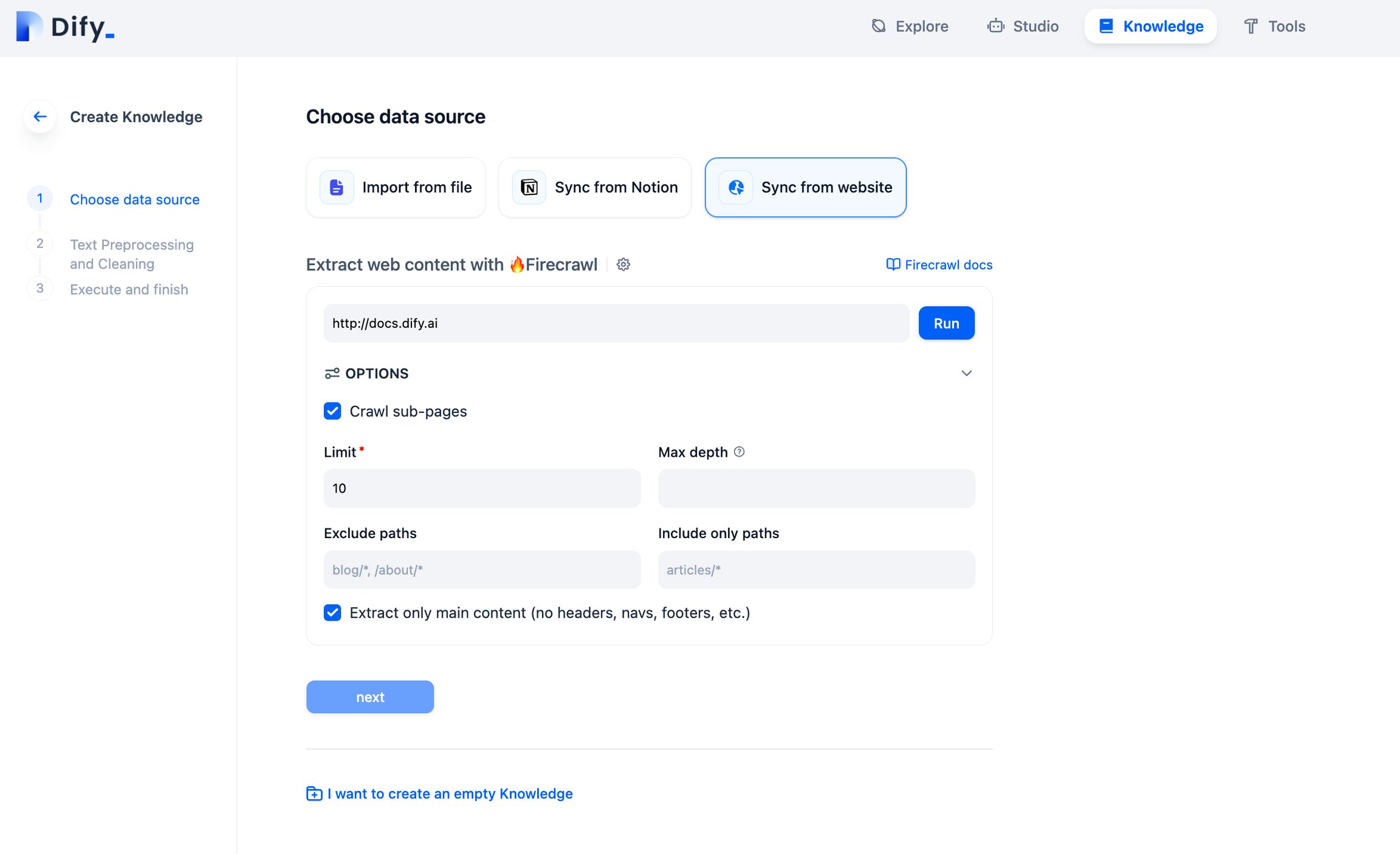
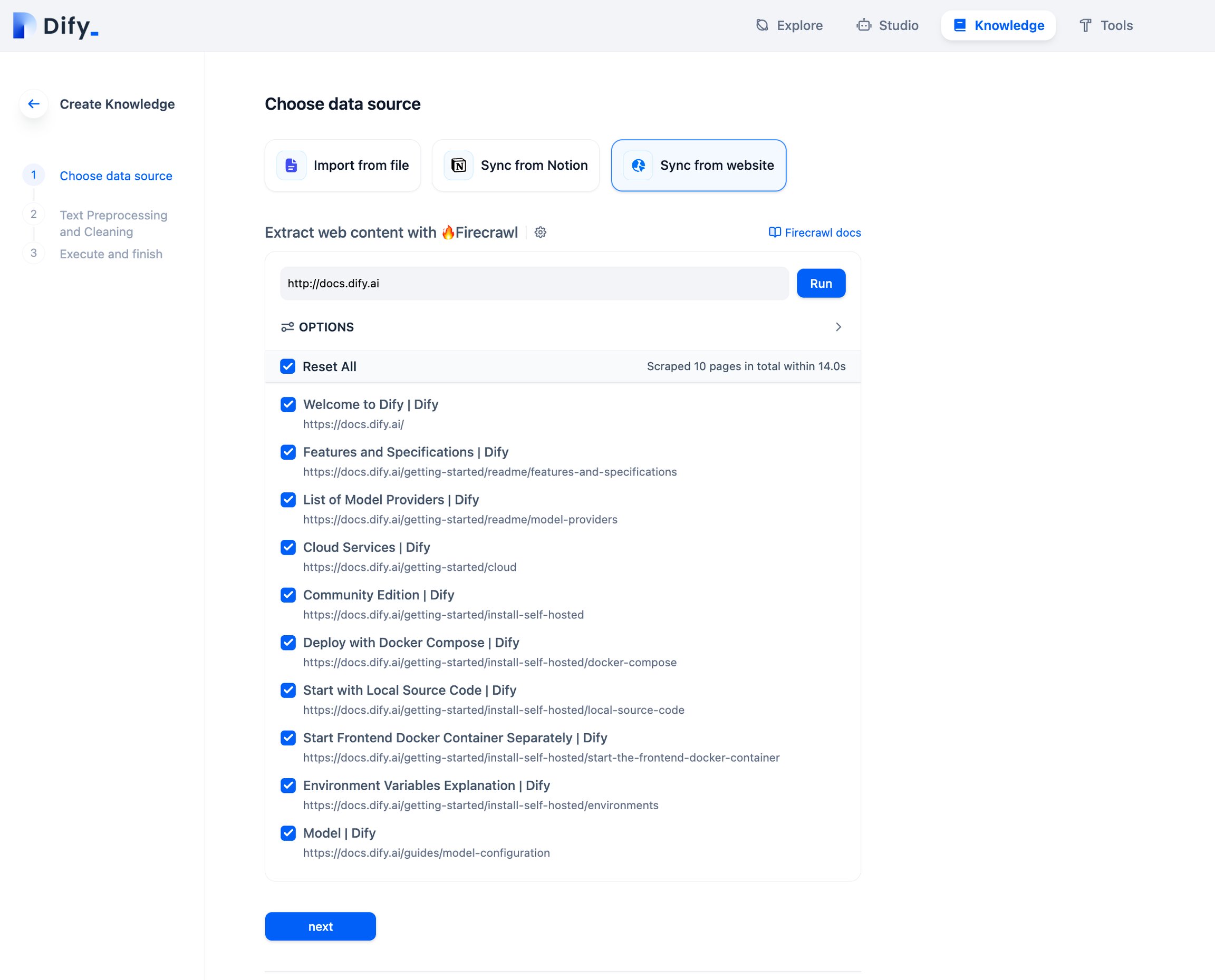
Review import results
Imported page text is stored in knowledge base documents. View the results and click Add URL to import more pages.